When to Choose an Agentic Builder Over a Static Workflow Tool: A Decision Framework for GTM Teams

No time to lose? Summarize with AI
ChatGPT
Claude
Not every workflow needs dynamic planning. Here is how to identify the ones that do, and how to validate the choice before you commit.
Part 3 of the Aviso Agent Studio Series: Part 1 explained why first-gen automation breaks on complex GTM workflows. Part 2 covered the architecture of a DAG-based agentic builder: how dynamic planning, pre-execution validation, runtime clarification, and multi-agent orchestration work together. This post is the practical closer: how do you decide whether your workflows actually need this, and if they do, how do you move forward? |
Revenue teams do not operate in stable environments anymore. Pipelines shift weekly, customer priorities change mid-cycle, buying committees expand, and forecasting assumptions break faster than traditional workflows can adapt. Most automation systems were designed for predictable sequences of actions. They work well when every process follows a fixed path. Revenue operations rarely work that way.
This is where agentic AI become important. Instead of executing static workflows, agentic AI systems can observe changing conditions, evaluate context, and adjust their actions in real time. Aviso’s Agent Studio is built specifically for this kind of dynamic revenue execution. It is designed for organizations that need revenue workflows capable of planning, adapting, and recovering instead of simply following predefined instructions.
Understanding when to adopt an agentic system instead of a traditional automation platform is critical for revenue leaders evaluating AI infrastructure. The decision framework below is designed to help you identify which of your workflows fall into that category.
When to Choose Aviso’s Agent Studio: The Four Fit Criteria
These are the conditions under which agentic orchestration earns its place. If none of them apply to a given workflow, a static tool is the better choice. If one or more apply, the workflow is a candidate for evaluation.
Your Revenue Workflows Change Constantly
The biggest challenge with traditional workflow automation is rigidity. Most systems are designed around linear execution paths where each step depends on assumptions made earlier in the workflow. As long as those assumptions remain accurate, the workflow performs correctly. But revenue operations are rarely stable enough for this model to work consistently.
A sales opportunity can change direction at any stage. A champion may leave the account, procurement may delay approvals, or a competitor may suddenly enter the deal. In these situations, static builders either fail completely or continue executing irrelevant actions. This creates operational inefficiency and often requires human intervention to recover the process manually.
The problem becomes more severe at scale. Enterprise revenue organizations manage thousands of interactions across sales development, account executives, customer success, renewals, and forecasting teams. Small workflow disruptions compound quickly when multiple teams depend on the same operational systems.
Aviso’s Agent Studio addresses this challenge through adaptive execution. The agents can evaluate new information during the workflow lifecycle and modify their actions accordingly. Instead of waiting for manual intervention, the workflow itself becomes capable of recovery and replanning. This reduces workflow failures and allows revenue teams to respond faster to operational disruptions.
For example, if engagement levels drop during an active opportunity, the system can identify the risk early using CRM activity and conversation signals. It can then recommend alternative stakeholders, modify outreach priorities, or escalate the issue before the deal deteriorates further.
Organizations dealing with unpredictable pipeline movement, changing customer behavior, or complex account management processes benefit significantly from this level of workflow flexibility.
You Need AI Grounded in Revenue Context
Generic AI systems often struggle in revenue environments because they lack operational awareness. They may generate recommendations that sound reasonable but fail to align with actual pipeline conditions or business priorities.
Agent Studio solves this problem by grounding its agents in live revenue data. The platform combines CRM information, call intelligence, engagement activity, and forecasting signals to provide context-aware workflow execution.
This grounding improves decision quality significantly. Instead of operating on isolated prompts, the agents understand the broader state of the revenue organization. They can identify pipeline risks, prioritize accounts more accurately, and surface insights that reflect real business conditions.
For example, a customer success workflow can combine usage patterns with renewal indicators to identify expansion opportunities more effectively. A sales workflow can prioritize outreach based on pipeline coverage gaps rather than generic lead scoring models.
Organizations that rely heavily on forecasting accuracy, pipeline visibility, and strategic account management benefit most from context-aware AI systems because operational decisions become more aligned with business outcomes.
You Want to Scale Winning Playbooks
Many revenue organizations depend heavily on a small number of top performers. These individuals develop effective approaches for discovery, negotiation, stakeholder management, and pipeline progression over time. The challenge is replicating those methods consistently across the rest of the team.
Aviso’s Agent Studio allows organizations to operationalize these successful processes through reusable agents. Teams can build workflows around proven playbooks and deploy them through the Agent Library across sales, SDR, or customer success functions.
This creates consistency without forcing rigid standardization. Newer representatives gain access to structured workflow guidance that reflects real high-performing behaviors. Instead of relying entirely on documentation or training sessions, organizations embed operational knowledge directly into workflow execution.
The impact becomes particularly important during periods of rapid growth. As companies expand revenue teams quickly, maintaining consistent execution quality becomes more difficult. Agentic workflows help shorten onboarding curves while preserving organizational best practices.
This approach also improves scalability because organizations no longer depend exclusively on manual coaching to maintain performance standards across teams.
Security and Governance Are Non-Negotiable
AI adoption creates legitimate concerns around data privacy, workflow visibility, and operational accountability. Many organizations hesitate to deploy AI workflows broadly because they lack confidence in governance controls.
Aviso’s Agent Studio addresses these concerns with enterprise-grade governance capabilities. Features such as role-based access control (RBAC), human-in-the-loop approvals, and audit logging provide organizations with oversight into workflow execution.
This is especially important in revenue operations where workflows frequently involve sensitive customer information, pricing discussions, and forecasting data. Governance controls ensure that AI systems operate within approved business boundaries.
Human approval layers also help organizations maintain accountability during critical workflow actions. Teams can review recommendations or workflow decisions before execution when necessary. Audit logs create transparency into how workflows operate and how decisions are made over time.
For enterprises operating under strict compliance or security requirements, these capabilities make AI adoption more practical and sustainable.
When Aviso Agent Studio Wins
Use Aviso when your revenue workflows need to plan, adapt, and recover. Not just run a fixed path.
Why Aviso Wins | What It Means |
|---|---|
Built on live revenue context | Powers every agent with CRM data, call intelligence, and forecast signals. No generic outputs. |
Agents that do not break when things change | When a deal shifts or data is missing, Aviso adapts the plan and keeps moving. Not a dead end. |
Your best playbooks scaled to every rep | Build once, deploy across your whole team. Institutional knowledge replaces tribal knowledge. |
Enterprise-ready from day one | 200+ tool integrations, zero data leakage, full audit trails. Security and IT approved out of the box. |
Agentic AI Use Cases: Three Workflow Examples Where Agent Studio Fits
Agentic AI becomes most valuable when it is embedded directly into day-to-day operational workflows. Instead of functioning as a standalone assistant, Aviso’s Agent Studio enables organizations to build specialized agents that support specific business processes across sales, engineering, and professional services teams.
The flexibility of the platform allows teams to create agents tailored to their workflows while still maintaining shared operational intelligence and governance controls. Below are three practical agentic AI use cases on how organizations can use Agent Studio to automate high-value tasks and improve execution quality.
Use Case 1: Pre-Meeting Brief
Preparing for customer meetings often requires AEs to manually gather information from multiple systems. Reps typically review CRM notes, recent call summaries, open risks, customer priorities, and engagement history before entering strategic conversations such as QBRs or renewal discussions.
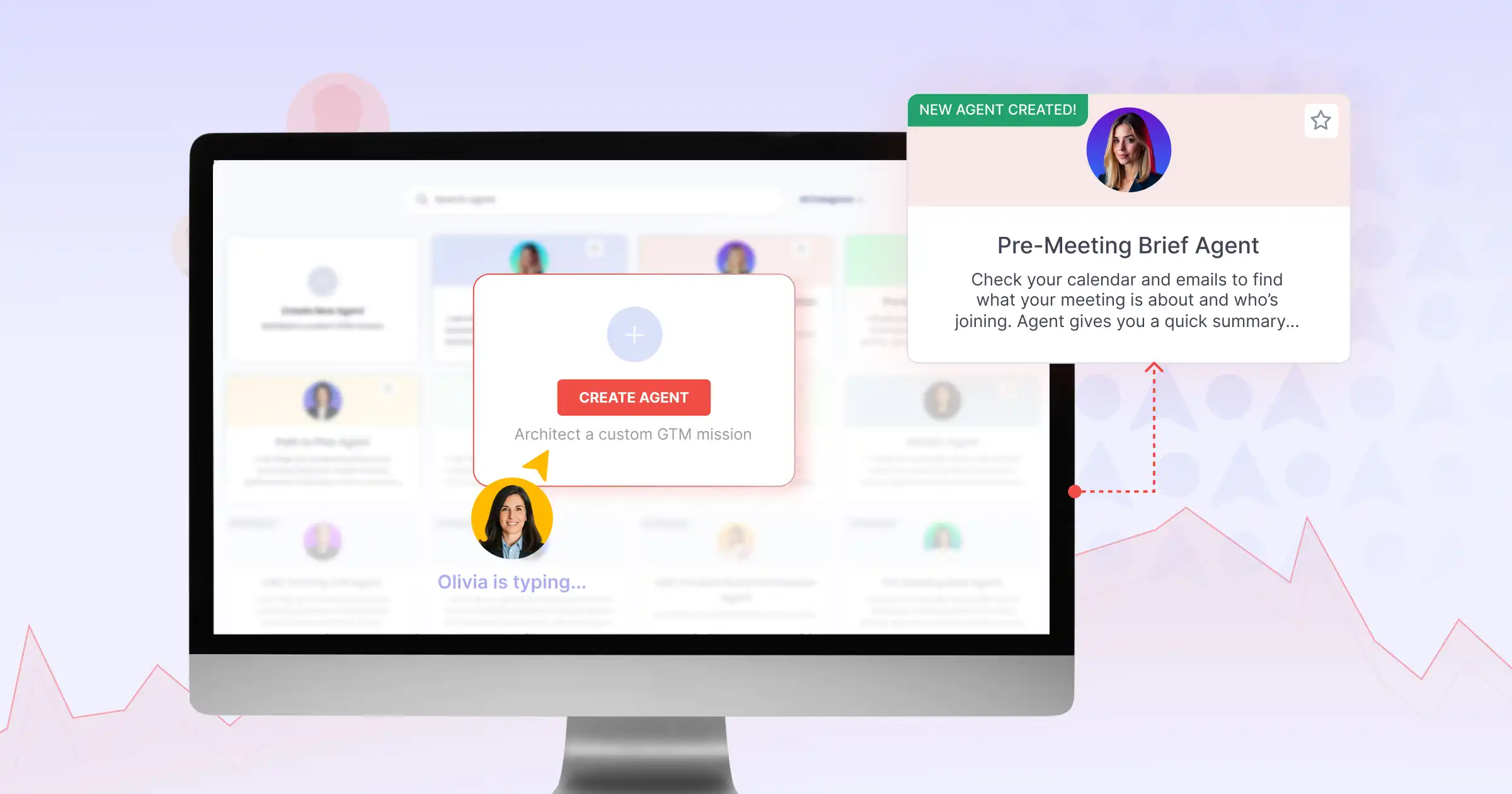
With Agent Studio, this preparation process can be automated through a dedicated pre-meeting briefing agent. The agent pulls the latest call summaries, identifies unresolved risks, surfaces key customer priorities, and generates recommended talking points before the meeting begins.
Instead of spending time collecting information manually, account executives receive a structured briefing that helps them focus on strategy and customer engagement. This improves meeting readiness while reducing administrative overhead.
Agent flow: Brief → Contact 360 → Risk Flags → Next Best Action
Who benefits: AEs, Account Managers
Use Case 2: Engineering QA Automation
Engineering teams frequently manage repetitive testing and validation tasks that consume significant development time. Manual QA cycles slow down release timelines and create operational bottlenecks, particularly when teams are working across multiple iterations simultaneously.
Agent Studio can support engineering automation by enabling teams to build QA-focused agents capable of writing test code, running sandbox validations, analyzing outputs, and iterating automatically until validation criteria are met.
Agent flow: Write Code → Run Sandbox → Validate → Iterate
Who benefits: Engineering Teams, Product Teams
Use Case 3: Professional Services SOW-to-Kickoff Automation
Professional services teams often spend considerable time transitioning signed statements of work into operational project kickoffs. This process usually involves reviewing documents, identifying similar engagements, assigning staffing resources, preparing kickoff agendas, and coordinating customer onboarding steps.
Agent Studio simplifies this workflow through an automated SOW-to-kickoff agent. Once a statement of work is signed, the agent can parse the document, identify relevant historical engagements, recommend staffing models, and generate a kickoff package for delivery teams.
The system can also create customer commitment checklists, onboarding documentation, and agenda recommendations based on project requirements and previous implementation patterns.
Agent flow: Parse SOW → Find Similar Engagements → Recommend Staffing → Build Kickoff Package
Who benefits: Professional Services Teams, Delivery Managers
How To Evaluate This In Practice: A 15-Minute Proof of Concept
The goal of a proof of concept is not to build a production-ready workflow. It is to validate that the architecture actually solves the problem you identified. A narrow, focused POC is more useful than a broad one.
Pick one brittle workflow. Identify a single workflow in your current stack that requires the most manual intervention. It does not need to be the most complex. It needs to be the one where the pain of the current approach is most clearly felt.
Write the intent statement. Describe what the workflow should accomplish in one or two sentences. Do not describe the steps. Describe the goal. For example: given a contact record and their company domain, produce a pre-meeting brief that includes deal context, recent activity, and three recommended questions for the call.
Run the planning loop and inspect the graph. Let the PlannerAgent generate the execution graph from your intent. Review the graph before running it. Does it capture the steps you would have built manually? Does it include steps you would not have thought of?
Run validation and review what it catches. Run the PlanValidator against the generated graph. If it surfaces issues, that is the system working correctly. Review what it found, understand why each issue would have caused a runtime failure, and observe how the system resolves them.
Execute and measure against your baseline. Run the workflow end-to-end. Measure the output quality, the time to completion, and the number of manual interventions required against the baseline from your current tool.
The success metric to track: Ship one workflow with plan validation and runtime clarification active. Count the number of manual interventions per run over two weeks. Compared to the same count from your current tool over the same type of workflow. The reduction in interventions is the signal that the architecture is working. |
Aviso’s Agent Studio is designed so that the proof of concept takes 15 minutes. Pick one workflow that currently requires manual intervention, write the intent statement, and run it through the planning loop. The architecture review and co-build option is available for teams that want to work through the evaluation with Aviso’s team before committing to a migration path.
Run a 15-minute agentic AI POC with Aviso Agent Studio.
FAQs
What is the difference between agentic AI and workflow automation? Workflow automation tools execute pre-defined paths — a human maps the steps, the tool runs them. Agentic AI generates the path at runtime based on the goal and the available context, validates the plan before execution, and adapts when inputs change mid-run. Workflow automation is the right answer for stable, known-path processes; agentic AI is the right answer for processes where the right next step depends on what the system finds along the way.
When should I use AI agents instead of a workflow automation tool? Use AI agents when one or more of these apply to the workflow: the path changes run-to-run, the workflow needs live revenue context (CRM, call intelligence, forecast), you're trying to scale a top-performer's playbook across the team, or you need enterprise governance (RBAC, audit logging, human-in-the-loop). If none of these apply, a static workflow automation tool is the better choice.
How do you evaluate an AI agent platform? Run a narrow proof of concept. Pick one brittle workflow, write a single-sentence intent statement, let the platform generate the execution plan, review the plan before execution, run validation, then execute and measure against your current baseline. The right metric is the reduction in manual interventions per run over a two-week comparison window.
What are some agentic AI use cases for GTM teams? Common agentic AI use cases for revenue teams include pre-meeting briefs (AEs and account managers), pipeline inspection and risk flagging (FLMs), forecast risk analysis (CROs), CRM data hygiene (RevOps), engineering QA automation, and professional services SOW-to-kickoff automation. The pattern that runs through all of them: the workflow needs to gather context from multiple sources, reason about what to do next, and adapt when inputs change.
How long does an Aviso Agent Studio proof of concept take? A focused agentic AI proof of concept takes 15 minutes to set up. Pick one workflow that currently requires manual intervention, write the intent statement, and run it through the planning loop. Measurement against your baseline runs over the following two weeks.
Is agentic AI worth it if our workflows already work? Probably not. If your workflows run reliably today, the inputs are consistent, and the output quality meets requirements, migrating to agentic AI introduces complexity without value. Agentic AI earns its place specifically when the path changes, inputs are missing, or the workflow requires reasoning across context that no static tool can anticipate.
What is Aviso Agent Studio? Aviso Agent Studio is an enterprise AI agent builder purpose-built for GTM teams. It generates agentic workflows from natural-language intent, grounds every agent in live revenue data (CRM, conversation intelligence, forecast signals), and includes enterprise controls — RBAC, audit logs, human-in-the-loop approvals — out of the box.
Can agentic AI replace tools like Zapier or n8n? For unknown-path workflows, yes. Zapier and n8n are excellent for stable, well-defined automations between SaaS tools. Agentic AI platforms like Aviso Agent Studio replace those tools specifically when the workflow needs to plan, adapt, and recover — not just connect nodes in a fixed order. Many teams run both: Zapier or n8n for the stable workflows, agentic AI for the unstable ones.